
Medicare Enrollment Planner
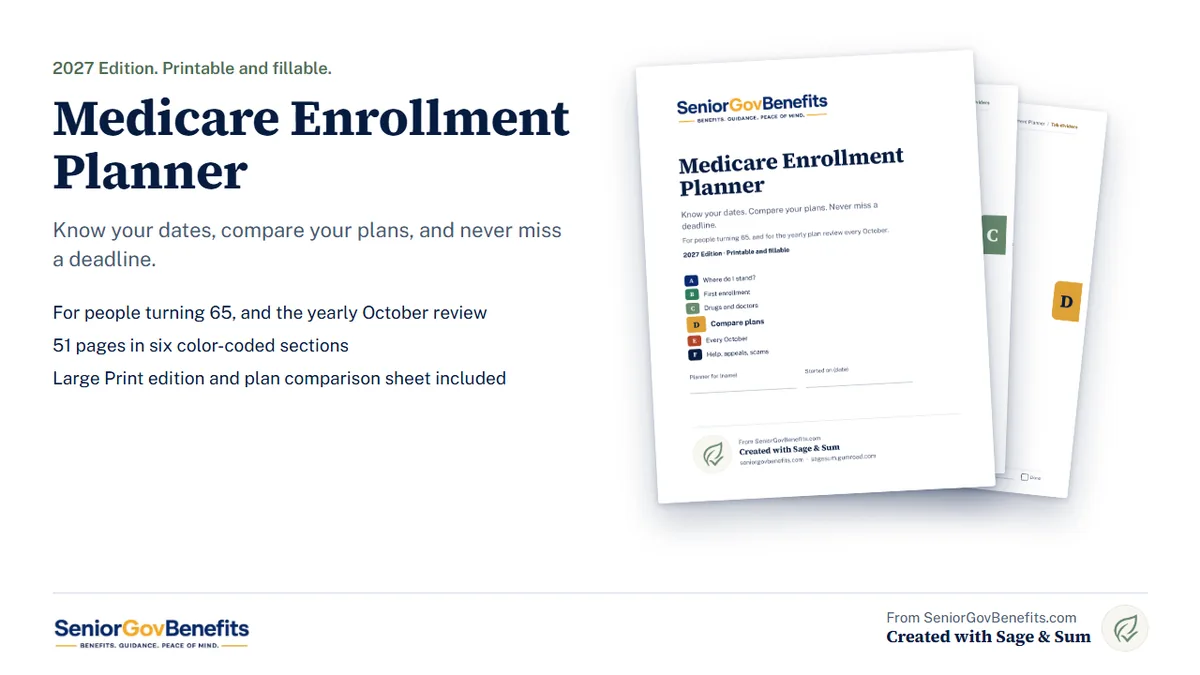
A printable, fillable planner for turning 65 and for the yearly October plan review. Find your enrollment window, compare plans on your own medicines and doctors, and keep every date in one place. 51 pages, with a Large Print edition included.
This is a paid printable we made with Sage & Sum. The Medicare calculators and guides on SeniorGovBenefits.com stay free. If you want to try it first, there is a free five-page sample below.
Why a planner
Medicare has several enrollment windows, four parts and a long list of plans, and a few mistakes cost money for as long as you have coverage. Miss your window and you can owe a late penalty every month for life. Let your plan renew without reading the letter and your drugs or your doctor can change on January 1.
The planner puts the dates, the questions and your own numbers in one place, so you or the person you are helping can decide with the facts in front of you.
What is inside
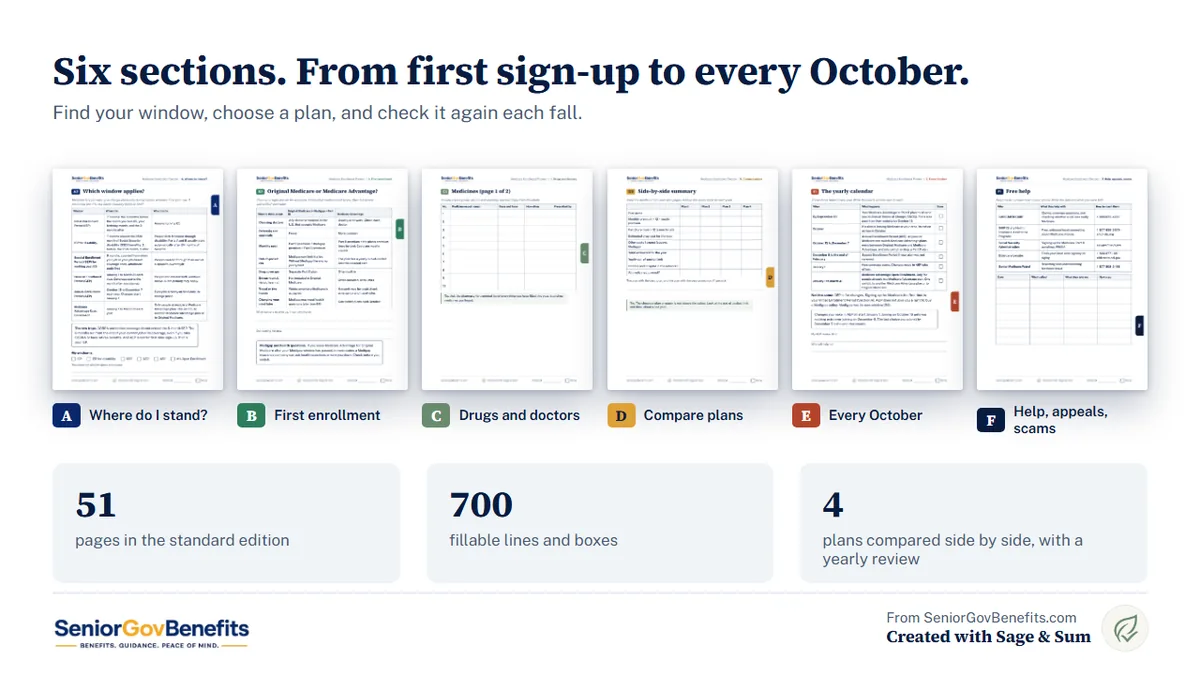
- Getting started. How the planner works, a privacy and scam page, and a progress checklist.
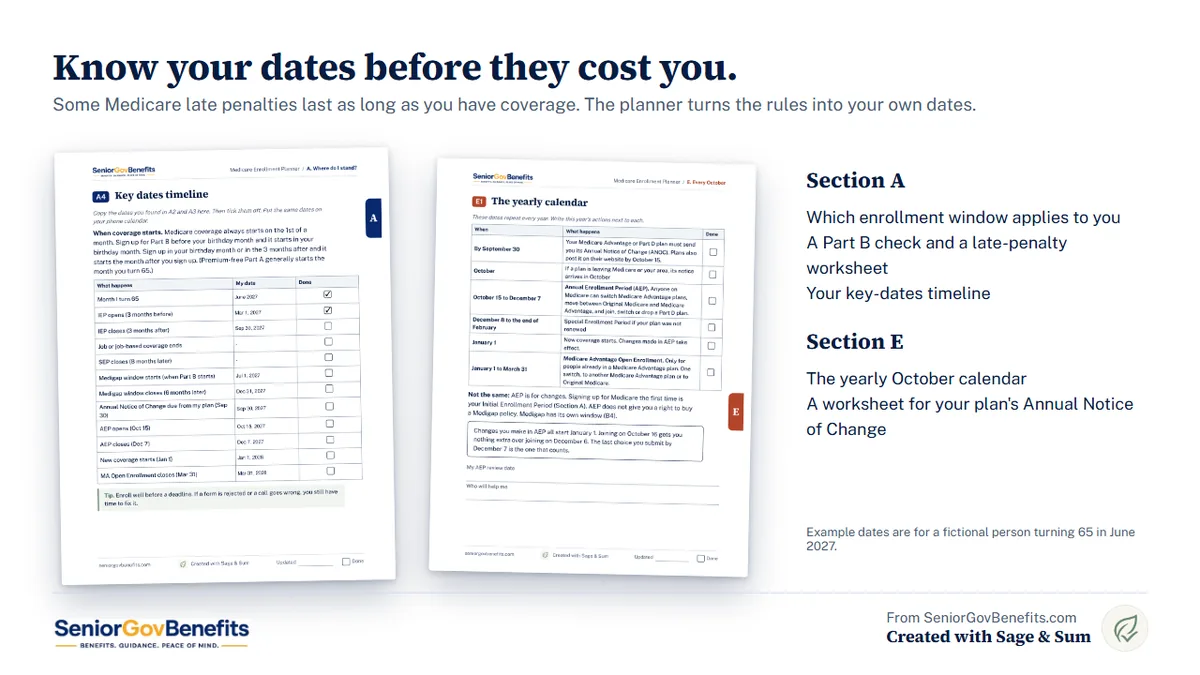
- A. Where do I stand? A plain-language table of every enrollment window, a Part B check for people working past 65, a key-dates timeline and a late-penalty worksheet.
- B. First enrollment. The parts of Medicare, Original Medicare or Medicare Advantage side by side, sign-up steps, the Medigap window, drug coverage and help paying.
- C. Drugs and doctors. Your medicine list, doctors, hospital and pharmacy, and the care you used this year.
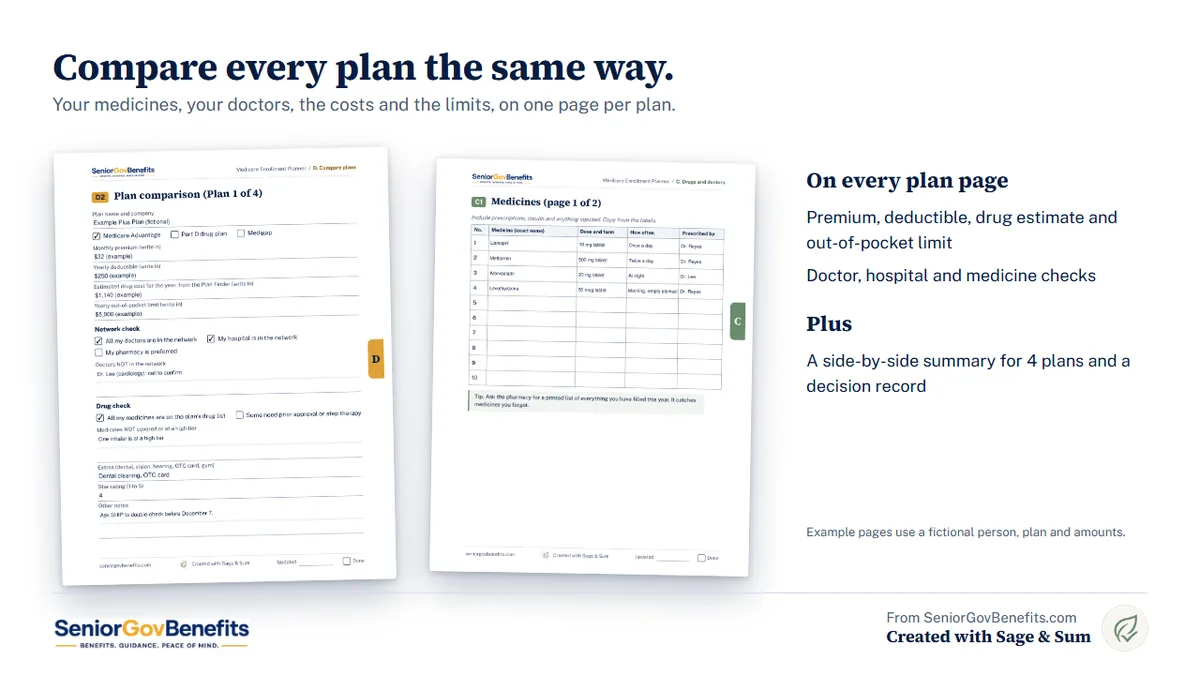
- D. Compare plans. A Plan Finder guide, four plan comparison pages, a side-by-side summary, questions to ask an agent and a decision record.
- E. Every October. A yearly calendar, an Annual Notice of Change worksheet, a "my plan is ending" checklist, a year-over-year log and an IRMAA tracker.
- F. Help, appeals and scams. Free help numbers, what to do if Medicare says no, and a scam page for the fridge.
What you get
- The planner in Standard print (51 pages)
- The planner in Large Print (60 pages)
- A plan comparison spreadsheet with 5 tabs that works in Excel and Google Sheets
- Tab dividers A to F for card stock
- A quick start guide with a first-evening plan
Everything is a digital download. Nothing is shipped.
How it works
- Download the files.
- Print the pages you want, or open the PDF and type into it.
- Turning 65? Start with Section A. Already on Medicare? Start with Section E.
- Write in your medicines and doctors once. Look each plan up in the free Medicare Plan Finder, write the results on the plan pages, and decide. A free SHIP counselor can check your top choices.
Get the planner
$15
One download with everything above. Checkout is secure and handled by Gumroad on our partner Sage & Sum's shop.
Buy the Medicare PlannerDisclosure: SeniorGovBenefits.com earns money when you buy the planner, through Sage & Sum. See our advertising and affiliate disclosure.
Try the free sample first
The free sample has five pages: the table of every Medicare enrollment window, the key-dates timeline, a medicine list, questions to ask an agent or broker, and a page showing what is in the full planner. Type into it or print it.
Get the free sample (opens on Gumroad. It is free, and Gumroad asks for your email.)
Free tools and guides that go with it
- Medicare Enrollment Period Finder
- Medicare Annual Enrollment Countdown
- Medicare Late Enrollment Penalty Calculator
- SHIP Medicare Counselor Locator
- Medicare Annual Enrollment Period Guide
- Medicare Enrollment Periods: IEP, GEP and SEP Explained
- How Much Does Medicare Cost at Age 65?
Frequently asked questions
Does it tell me which plan to pick?
No. It helps you collect your medicines, doctors and costs, compare plans the same way, and record your decision. A State Health Insurance Assistance Program (SHIP) counselor can help you choose, for free.
Does it include this year's premiums and limits?
No. Those change every year and differ by plan and county, so the planner gives you places to write them in from medicare.gov or your plan's notice. That also keeps it useful from year to year.
Is it only for people turning 65?
No. Sections A and B are for first enrollment. Sections C, D and E work every year for anyone on Medicare.
What if I have a job and a work plan at 65?
Section A has a Part B check for people still working. Rules depend on your employer's size and whether you have Medicare through age or disability, so the planner tells you what to ask HR and the Social Security Administration.
Do I need both the Standard and the Large Print edition?
No. They hold the same content. Large Print has bigger type and boxes. Use whichever is easier on your eyes.
Can I use it for more than one person?
Yes. Save a copy of the PDF for each person and print more of any page.
Is my information sent anywhere?
No. When you type into the PDF or the spreadsheet, what you write stays on your computer. Save the files somewhere private. The planner asks for the last 4 digits of numbers only, never a full Social Security or Medicare number.
What do I need to open it?
A free PDF reader such as Adobe Acrobat Reader, or Chrome, Edge or Firefox, on a computer. You can also print it and write by hand. Some phone and tablet viewers cannot fill in the larger boxes. The plan comparison spreadsheet works in Excel and Google Sheets.
Who made it
The planner was written by the SeniorGovBenefits.com team and created with Sage & Sum, which sells it on Gumroad. We checked the enrollment rules, dates and phone numbers in it against official sources, in the same way we check our calculators (see our editorial methodology). It prints no premiums, deductibles, caps or income limits, since those change every year.
The planner is an organizer for general information. It is not insurance, legal, financial, tax or medical advice, it does not recommend a plan, and it cannot promise coverage, savings or approval. Confirm your own dates and choices with the Social Security Administration, your SHIP, medicare.gov or your plan. Medicare does not call to sell anything. SeniorGovBenefits.com and Sage & Sum are not affiliated with Medicare, CMS, the Social Security Administration or any government agency. Read our full disclaimer.